مقدمة
أصبحت أفكار الخدع البصرية باستخدام الذكاء الاصطناعي من أكثر أنواع الصور انتشارًا على الإنترنت. ومن أكثر الأفكار إبداعًا فكرة تحويل الرسم إلى واقع بطريقة تبدو وكأن الشخصية داخل اللوحة بدأت تتحول إلى إنسان حقيقي.
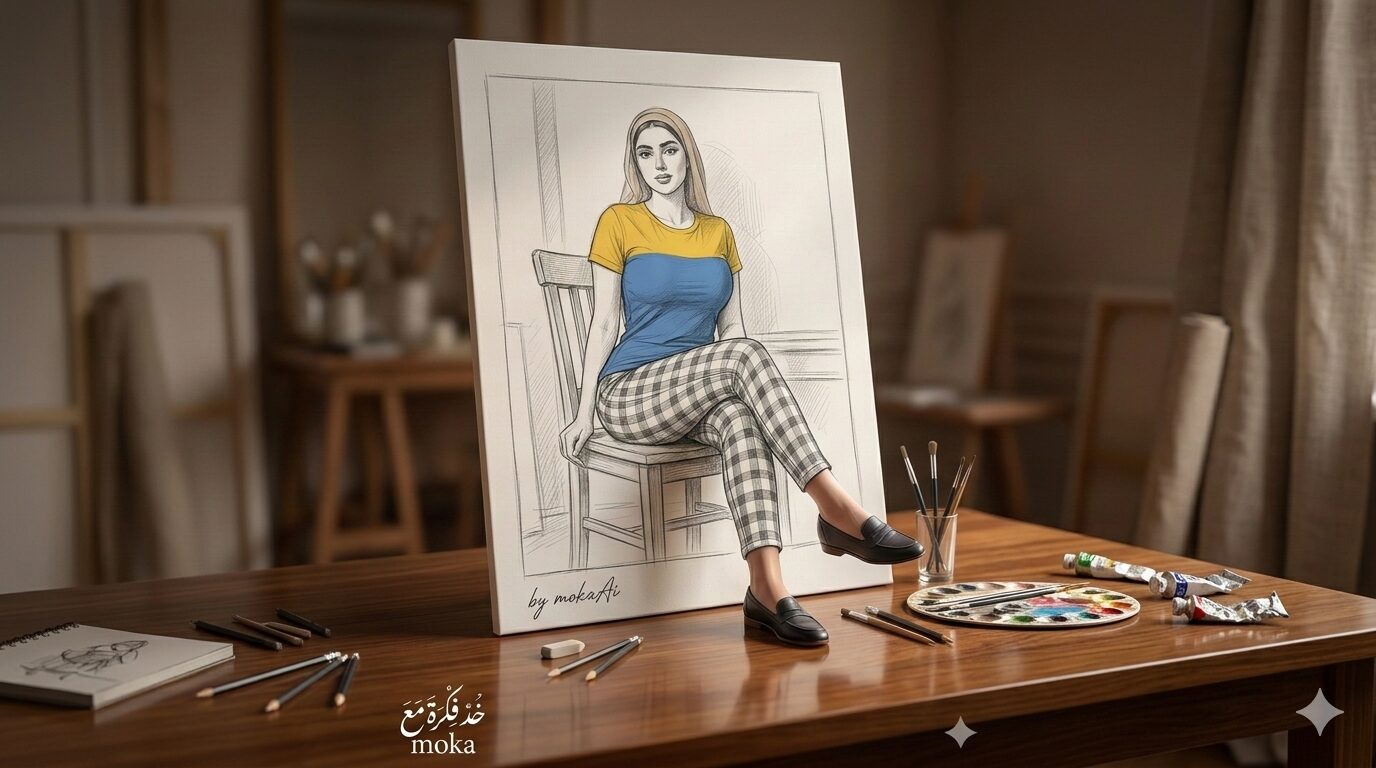
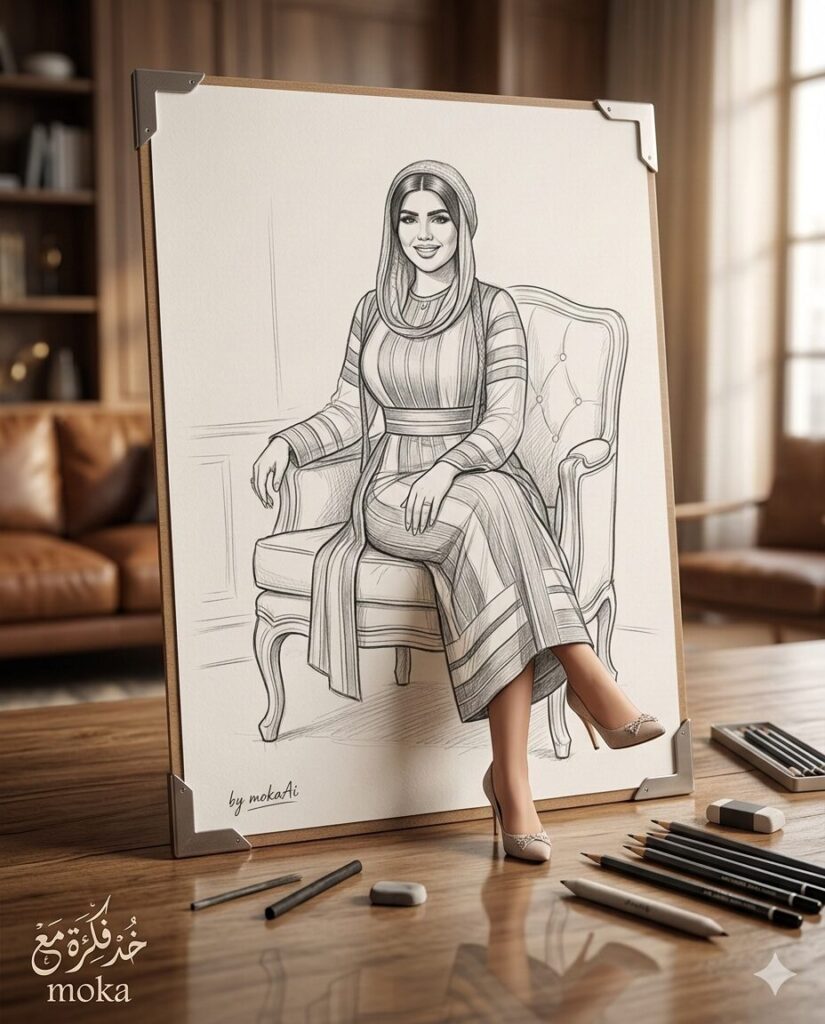
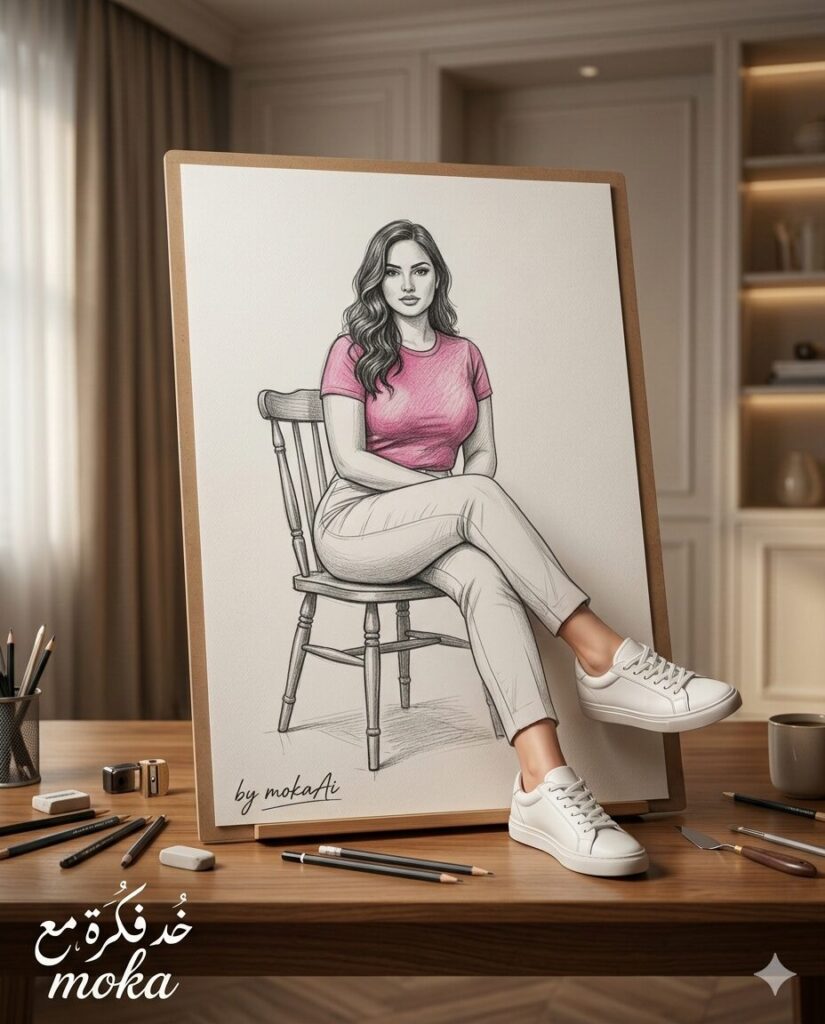
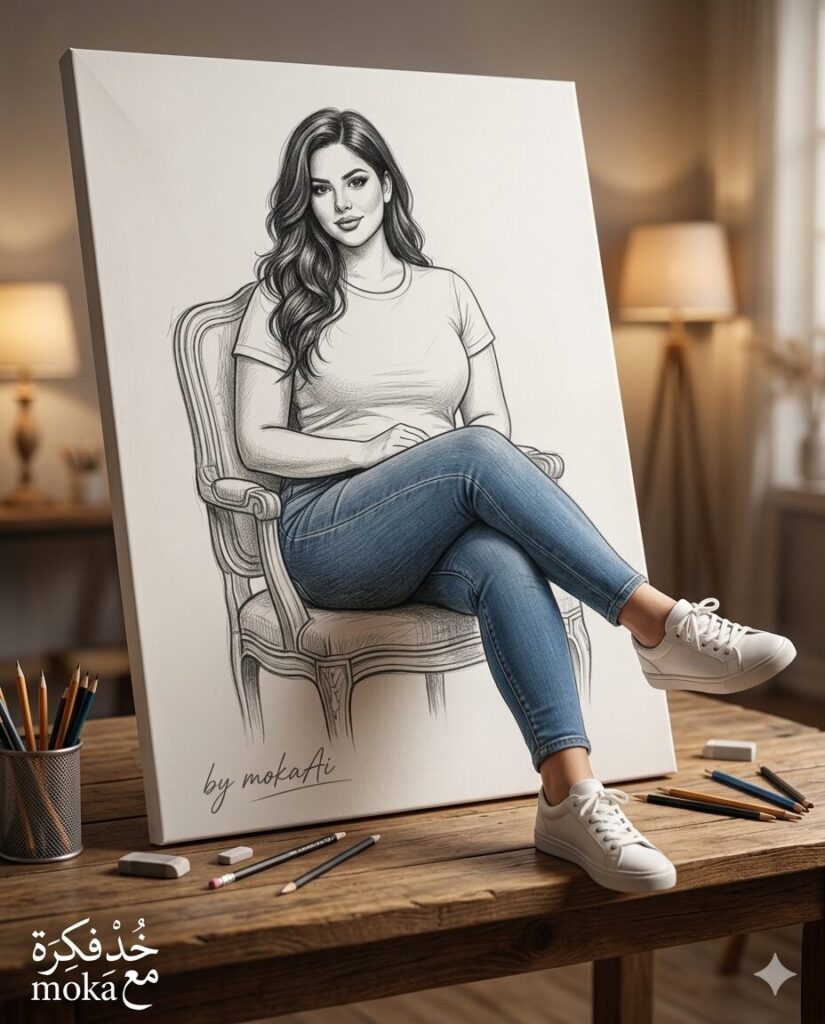
في هذا المقال سنقدم لك برومبت احترافي لإنشاء صورة سينمائية يظهر فيها رسم داخل لوحة فنية على طاولة خشبية، بينما تتحول الشخصية المرسومة تدريجيًا إلى شخص واقعي، مع خروج القدمين فقط من اللوحة إلى العالم الحقيقي.
هذا النوع من الصور يعطي تأثيرًا بصريًا مذهلًا يجمع بين فن الرسم التقليدي والتصوير الواقعي.
النتيجة المتوقعة للصورة
Image Caption:
رسم داخل لوحة يتحول إلى شخصية واقعية مع خروج القدمين من اللوحة في مشهد سينمائي.
وصف الصورة (Image Description):
مشهد فوتوغرافي احترافي للوحة رسم تحتوي على شخصية مرسومة تجلس على كرسي داخل اللوحة بينما تخرج قدماها فقط إلى خارج اللوحة فوق طاولة خشبية.
جرّب البرومبت بنفسك
يمكنك تجربة هذا البرومبت باستخدام صورتك الشخصية أو أي صورة مرجعية أخرى.
بعد رفع الصورة المرجعية سيقوم الذكاء الاصطناعي بإنشاء مشهد فني يبدو وكأنه لوحة رسم تتحول إلى واقع بطريقة سينمائية مذهلة.
هذه الفكرة تعتبر من أكثر الأفكار الإبداعية في صور الذكاء الاصطناعي لأنها تجمع بين الرسم والواقع في نفس المشهد.
طريقة الاستخدام
- انسخ البرومبت الموجود في نهاية المقال.
- افتح أداة إنشاء الصور بالذكاء الاصطناعي مثل ChatGPT أو Gemini.
- قم برفع الصورة التي تريد استخدامها كمرجع للوجه.
- الصق البرومبت داخل مربع الكتابة.
- اضغط على توليد الصورة وانتظر النتيجة.
طريقة استخدام البرومبت على Gemini
إذا كنت تستخدم أداة Gemini من جوجل لتوليد الصور بالذكاء الاصطناعي يمكنك تطبيق هذا البرومبت بسهولة.
- افتح موقع Gemini
https://gemini.google.com - قم بتسجيل الدخول باستخدام حساب جوجل الخاص بك.
- اضغط على Upload Image.
- قم برفع الصورة التي تريد استخدامها كمرجع للوجه.
- انسخ البرومبت الموجود في هذا المقال.
- الصق البرومبت داخل مربع الكتابة.
- إذا كنت تستخدم النسخة المجانية من Gemini فمن الأفضل تفعيل وضع المفكر (Thinker) أو وضع Pro لأن هذه الأوضاع تساعد على ظهور الكتابة العربية داخل الصور بشكل صحيح.
- اضغط على إرسال وانتظر حتى يتم إنشاء الصورة.
نصائح للحصول على أفضل نتيجة (Prompt Tips)
- استخدم صورة مرجعية واضحة للوجه.
- يفضل أن تكون الصورة مواجهة للكاميرا.
- تأكد من أن الإضاءة في الصورة الأصلية جيدة.
- يمكنك إعادة توليد الصورة أكثر من مرة للحصول على أفضل نتيجة.
تعديل البرومبت (Prompt Customization)
يمكنك تعديل البرومبت للحصول على أفكار مختلفة مثل:
- جعل الشخصية تخرج يدها من اللوحة بدل القدمين.
- تحويل الرسم إلى لوحة زيتية بدل رسم بالقلم الرصاص.
- تغيير مكان اللوحة إلى معرض فني فاخر.
- إضافة أدوات رسم أكثر حول اللوحة.
📌 البرومبت جاهز للنسخ
 An ultra-realistic cinematic photographic scene of an artistic setup inside an elegant room illuminated with warm lighting.

A large drawing canvas is placed slightly tilted on an elegant wooden table. The canvas contains a clear pencil sketch drawing in an artistic sketch style.

Canvas content:
Inside the canvas there is a clear drawing of a person sitting on a chair drawn inside the canvas. It must be clearly emphasized that the chair is visibly drawn inside the canvas and the character is sitting naturally on it within the illustrated scene.

The visual illusion:
The person drawn inside the canvas gradually transforms into a real realistic person, but the only part that exits the canvas into the real world is the lower part of the feet only.

The legs:
Only the feet come out of the frame of the canvas into the real world and rest on the surface of the table in front of the canvas. The feet are placed in an elegant position where the person puts one leg over the other comfortably and naturally, and only the lower feet exit the canvas.

Important confirmation:
The rest of the character’s body remains completely inside the drawn canvas, and no other part of the body exits the canvas at all. The only part coming out of the canvas is the feet only.

Details inside the canvas:
The entire scene inside the canvas is drawn in pencil sketch style and includes a clearly drawn chair that the character sits on inside the canvas.

Clothing colors:
The clothing colors inside the drawing must match exactly with the reference image used.

Shoes:
The character is wearing suitable shoes that appear clearly on the surface of the table.

Location:
The canvas is placed on an elegant wooden table inside a modern room, with some pencils and drawing tools around it, and a soft warm background that gives the feeling of a professional photography studio.

Lighting:
Soft cinematic lighting coming from the side with natural shadows and a subtle reflection on the surface of the table.

Logo:
At the bottom left of the design, place a two-line Arabic calligraphy logo that reads:
"خُد فِكرة مع
moka"

Signature:
Place an elegant clear handwritten signature below the paper canvas that reads:
by mokaAi

Camera:
Professional photography using an 85mm lens with shallow depth of field and sharp focus on the canvas and the person, with a soft blurred background.

Composition:
The canvas is centered in the scene on top of the table, and only the legs extend outside the canvas forward onto the surface of the table.

Aspect ratio:
4:5 vertical frame suitable for publishing.

Quality:
Ultra realism, professional blending between drawing and reality, extremely detailed, cinematic lighting, very high quality 8K.
مقالات مشابهة قد تهمك
- تصميم صورة تهنئة عيد الفطر المبارك باستخدام الذكاء الاصطناعي
- مشهد خيالي بالذكاء الاصطناعي | لما الميه تتحرك جوه جسم زجاجي قدام عينك!
الأسئلة الشائعة (FAQ)
هل يمكن استخدام أي صورة لهذا البرومبت؟
نعم، يمكن استخدام أي صورة واضحة للوجه للحصول على نتيجة جيدة.
هل يمكن تغيير أسلوب الرسم؟
نعم، يمكنك تعديل البرومبت ليكون الرسم بأسلوب مختلف مثل الرسم الزيتي أو الرسم الرقمي.
هل يعمل البرومبت على Gemini؟
نعم، يعمل بشكل جيد على Gemini وعلى معظم أدوات توليد الصور بالذكاء الاصطناعي.
أفكار مشابهة يمكنك تجربتها
- تحويل صورة إلى تمثال رخامي واقعي.
- إنشاء صورة لشخص يخرج من كتاب مفتوح.
- تصميم صورة لشخص يخرج من شاشة هاتف.
- إنشاء صورة لشخص يخرج من لوحة فنية معلقة على الحائط.